
Common UX design Mistakes on small business websites
Small business websites often struggle with UX not because of lack of effort, but because of avoidable design missteps. Here’s how I spot and fix the most common ones.
Why UX Matters for Small Businesses
User experience (UX) design isn’t just for tech giants or design agencies—it’s a critical factor in how small businesses attract, engage, and convert customers online. A well-designed website builds trust, guides users effortlessly, and drives action. But many small business sites fall short due to common UX mistakes that frustrate visitors and hurt conversions.
.
Neglecting Mobile Optimization
With over half of web traffic coming from mobile devices, a site that isn’t mobile-friendly is a deal-breaker. Poor responsiveness, tiny text, and misaligned buttons can drive users away instantly.
Fix: Use mobile-first design principles and test your site across devices. Prioritize fast loading, thumb-friendly navigation, and readable content.
Confusing Navigation
If users can’t find what they’re looking for in seconds, they’ll bounce. Overcomplicated menus, hidden links, or inconsistent page structures are common culprits.
Fix: Keep navigation simple and intuitive. Use clear labels, logical hierarchy, and consistent placement across pages

Ignoring Content Hierarchy
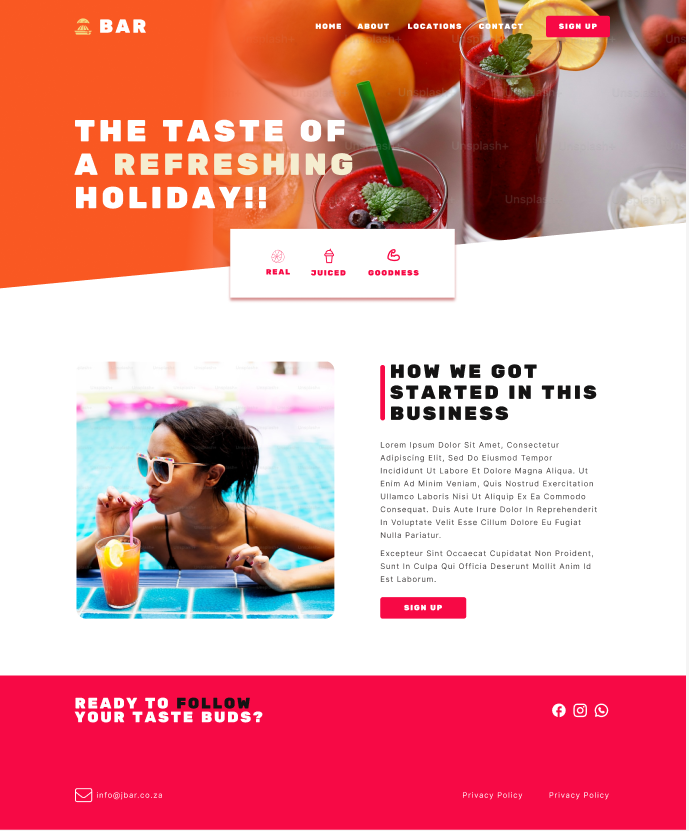
When everything screams for attention, nothing gets noticed. Small business sites often lack visual hierarchy, making it hard for users to scan and absorb key messages.
Fix: Use headings, spacing, and contrast to guide the eye. Prioritize important content and break up text with visuals
Overlooking Accessibility
Accessibility isn’t optional—it’s essential. Many small sites ignore alt text, keyboard navigation, and color contrast, excluding users with disabilities.
Fix: Follow WCAG guidelines. Use tools to check contrast ratios, add descriptive alt text, and ensure your site is navigable without a mouse
Slow Loading Speeds
Speed is a silent UX killer. Heavy images, bloated plugins, and poor hosting can make your site sluggish, especially on mobile.
Fix: Optimize images, use caching, and choose reliable hosting. Tools like Google PageSpeed Insights can help pinpoint issues
No Clear Call to Action (CTA)
Visitors need direction. Without clear CTAs, they won’t know what to do next—whether it’s booking a service, signing up, or making a purchase.
Fix: Use bold, action-oriented CTAs. Place them strategically and make sure they stand out visually
Not Learning from Analytics
Many small businesses don’t track how users interact with their site, missing out on valuable insights.
Fix: Set up Google Analytics or similar tools. Monitor bounce rates, page views, and user flows to identify friction points
My Final thoughts...
UX design isn’t just about aesthetics—it’s about empathy, clarity, and functionality. By avoiding these common mistakes, small businesses can create websites that not only look good but work brilliantly for their users.
Want a UX audit or redesign? Let’s chat.
Follow my journey in tech and lets connect.